![Navix Logo - Purple-1.png]](https://hs.navix.io/hs-fs/hubfs/Navix%20Logo%20-%20Purple-1.png?height=50&name=Navix%20Logo%20-%20Purple-1.png)
✅ Step 1: Confirm Your Email Address
After Navix creates your user account, you’ll receive an email with a verification link.
📬 Subject: “Please confirm your email address”
Click the link in the email to confirm.
.png?width=688&height=419&name=Untitled%20design%20(2).png)
✅ Step 2: Wait for Confirmation
Shortly after, you’ll get a second email confirming that your identity has been verified and your user is active.
📬 : “Your Navix account is ready”
✅ Step 3: Access the Navix App
Go to:
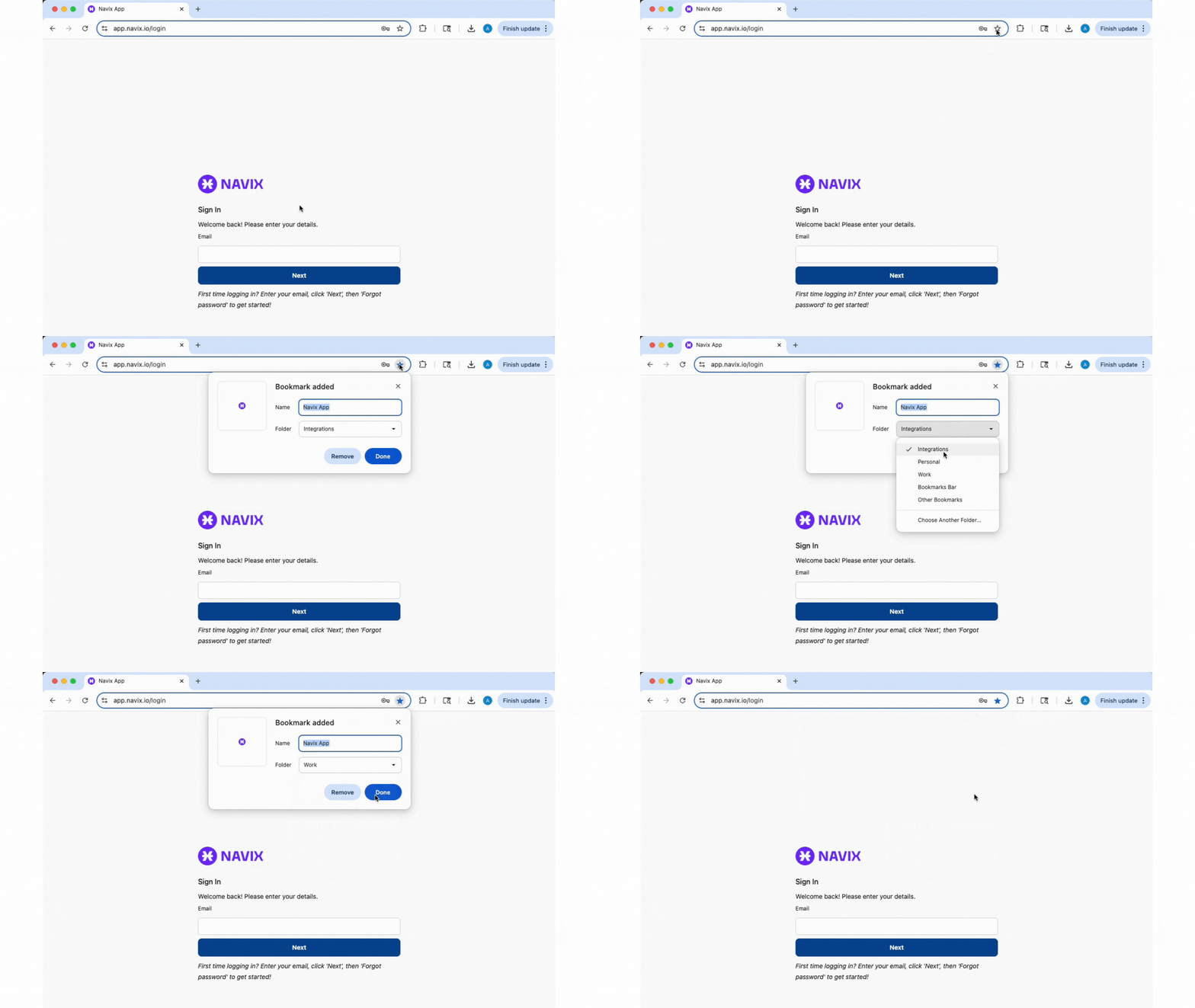
👉 https://app.navix.io
We recommend bookmarking this page for quick access.
✅ Step 4: Set Your Password
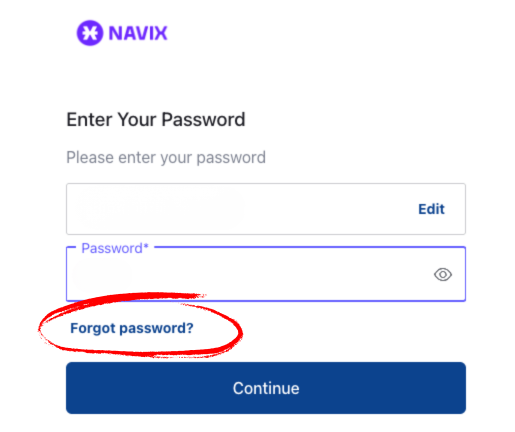
At the login page:
- Enter your email
- Click Next
- Click "Forgot Password?"
🙋 Trouble Logging In?
If you didn’t receive an email or can’t reset your password, reach out to your internal SME or submit a Support Ticket:
👉 Open a Ticket