![Navix Logo - Purple-1.png]](https://hs.navix.io/hs-fs/hubfs/Navix%20Logo%20-%20Purple-1.png?height=50&name=Navix%20Logo%20-%20Purple-1.png)
Submit a New Ticket
What Information to Include
Submit a New Ticket
To create a new support request, click “Submit a Support Ticket” at the top of the page. Or use this link: https://hs.navix.io/customer-support-center/kb-tickets/new .
We strongly recommend that only a few key users — typically your Subject Matter Experts (SMEs) — submit tickets to Navix.
Why?
- Many questions get resolved internally without a ticket
- SMEs often know if an issue is upstream/downstream from Navix
- It improves response time and streamlines communication
By providing the most detailed information on your support ticket you are reducing the time of triage and resolution to your ticket. The details matter!
What Information to include
Fill out the required fields so our Support team can better understand your request. See below the picture for assistance in filling out your ticket.
📋 Choosing the Right Ticket Type
Use the dropdown menu to select the Type of Support Request. Below are the most common options and when to use them.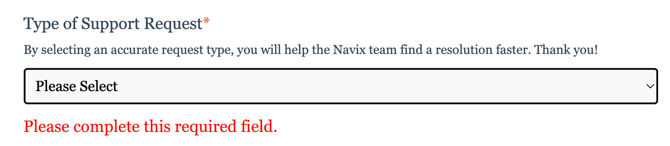
|
Ticket Type |
Use This For |
|
Account Setup Support |
Reporting, rules, EDI, integrations, configuration questions |
|
Billing Support |
Questions about your Navix bill, usage, or charges |
|
Bugs & Technical Support |
Reporting software issues or anything not working as expected |
|
Critical Need |
"System down" or "Navix unusable" scenarios only (do not use for general bugs) |
|
Document Ingestion |
Issues with IDP (Intelligent Document Processing), including failed uploads |
|
General Inquiry |
If you’re unsure which category fits or just have a general question |
|
Training |
Request for additional user training |
📋 Issue
Fill out the Issue section as a short description of the problem.

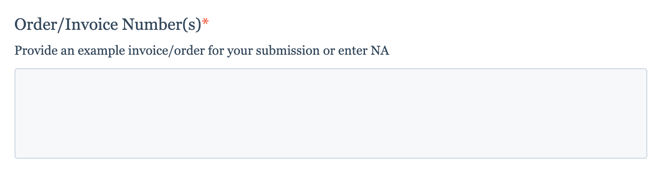
📋 Order Number/Invoice Number
Please provide any and all order number or invoice numbers that you are using as an example or that will help us reproduce the issue. If your issue does not involve orders/invoices you can type NA (Not Applicable).
📋 Details of Issue
In this section, please be as detailed as possible to provide all of the information. Some tips to help: 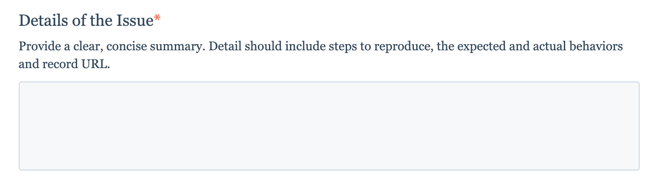
- What is the navigation or steps you are taking when the issue occurred? This will help us reproduce the steps.
- What are you expecting to happen?
- What is actually happening?
- Are you receiving an error message? If so, please provide that error in the details.
- Are you the only user experiencing this? Are other users experiencing this?
- Is this the first occurrence or have you observed multiple times?
- What is the impact of the issue? (e.g. are you unable to approve one invoice OR are you unable to approve any/all invoices)
📋 Attachments
Please include any screenshots, videos, and documentation you have to support this.
