![Navix Logo - Purple-1.png]](https://hs.navix.io/hs-fs/hubfs/Navix%20Logo%20-%20Purple-1.png?height=50&name=Navix%20Logo%20-%20Purple-1.png)
🗒️ Overview
🔐 Access & Permissions
🧭 Navigating Flex Rules
🛠️ Creating a Rule
🧠 Key Concepts
⚙️ Best Practices
🔄 Versioning & History
🔮 Coming Soon
🗒️ Overview
We’re excited to introduce Flex Rules — Navix’s next-generation rules engine designed to give you complete flexibility and control over how your business rules are defined and executed. Flex Rules separates decision logic from application code, allowing you to build, test, and deploy rules dynamically — without needing system changes.
🎯 What Is Flex Rules?
Flex Rules is the Navix business rules engine that allows you to:
- Define rules visually
- Leverage nearly any variable on an Order or Invoice
- Test logic instantly before deployment
- Adapt workflows without relying on engineering changes
This gives your team the ability to customize Navix to your exact business needs — whether that’s audit logic, document requirements, or exception handling.
With Flex Rules, you can:
- Adapt your workflows without waiting on development
- Build highly customized audit and validation logic
- Reduce manual review effort
- Standardize processes across teams
- Scale your operations with confidence
🔐 Access & Permissions
At launch, Flex Rules will be available with different levels of access:
👀 Read-Only Access (Default)
Most users will initially have the ability to:
- View existing Order and Invoice rules
- Review work instructions and rule logic
- Export rule data (including decision tables)
✏️ Advanced Access (Select Tenants)
Some customers will also have the ability to:
- Create new rules
- Edit existing rules
- Clone and upload rule configurations
- Delete or update rules as needed
If you’re interested in edit access, please contact your Navix team.
🧭 Navigating Flex Rules
Flex Rules provides a centralized interface to manage your logic:
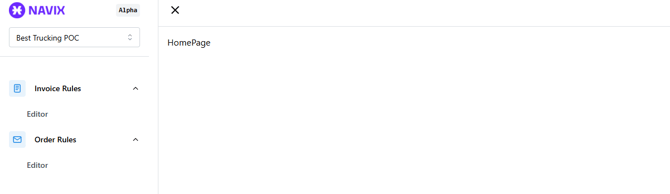
- Left Menu: Toggle between Order Rules and Invoice Rules
- Rule Grid: View all existing rules with sorting, filtering, and visibility controls
- Actions Available:
- Create Rule
- Export Rows
- Clone
- Edit
- Delete
🛠️ Creating a Rule
When creating a new rule:
- Enter a Name and Description
- (Optional) Add tags for organization
- Click Create Rule
- Begin building logic using rule components
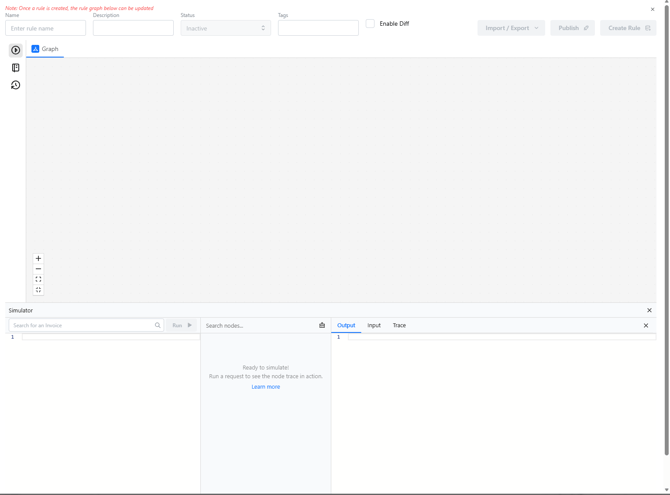
Once created:
- A Rule ID is automatically generated
- You can begin adding logic through components
⚠️ Important: Creating a rule does not make it live.
Rules must be:
- Set to Active, and
- Published before they take effect
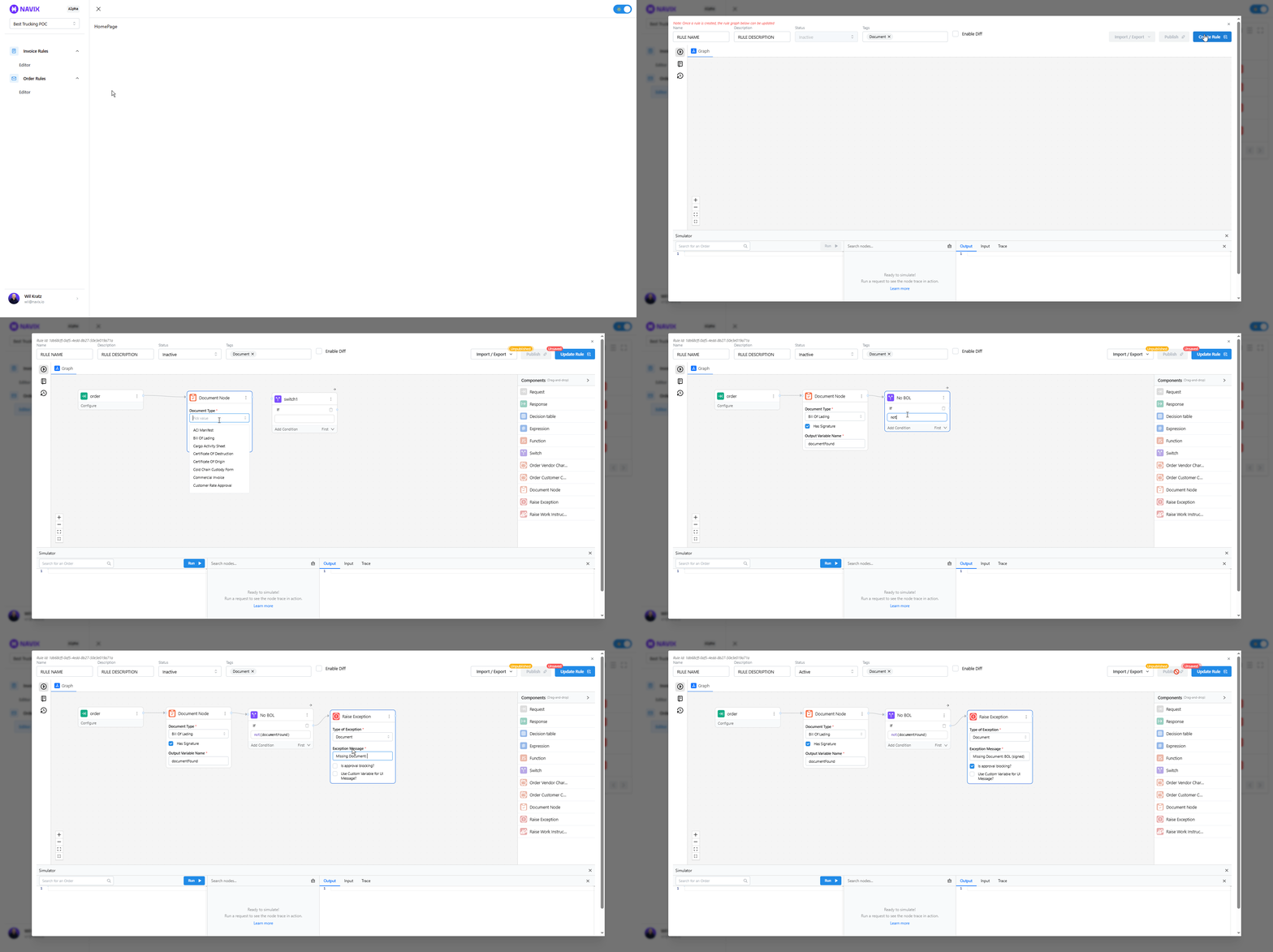
🧠 Key Concepts
📊 Decision Tables
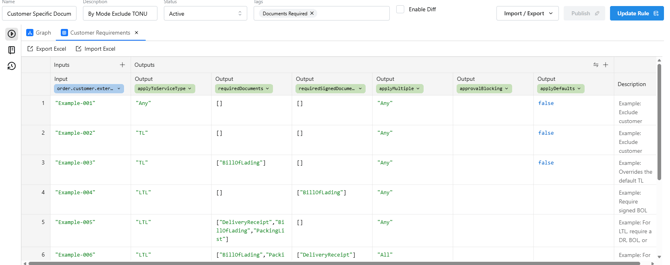
Decision Tables are a core component of Flex Rules. They function like spreadsheets and allow you to:
- Store structured rule data
- Manage lists (customers, document requirements, etc.)
- Export → edit in Excel → re-import
This makes maintaining large rule sets significantly faster and more scalable.
.png?width=670&height=303&name=image%20(64).png)
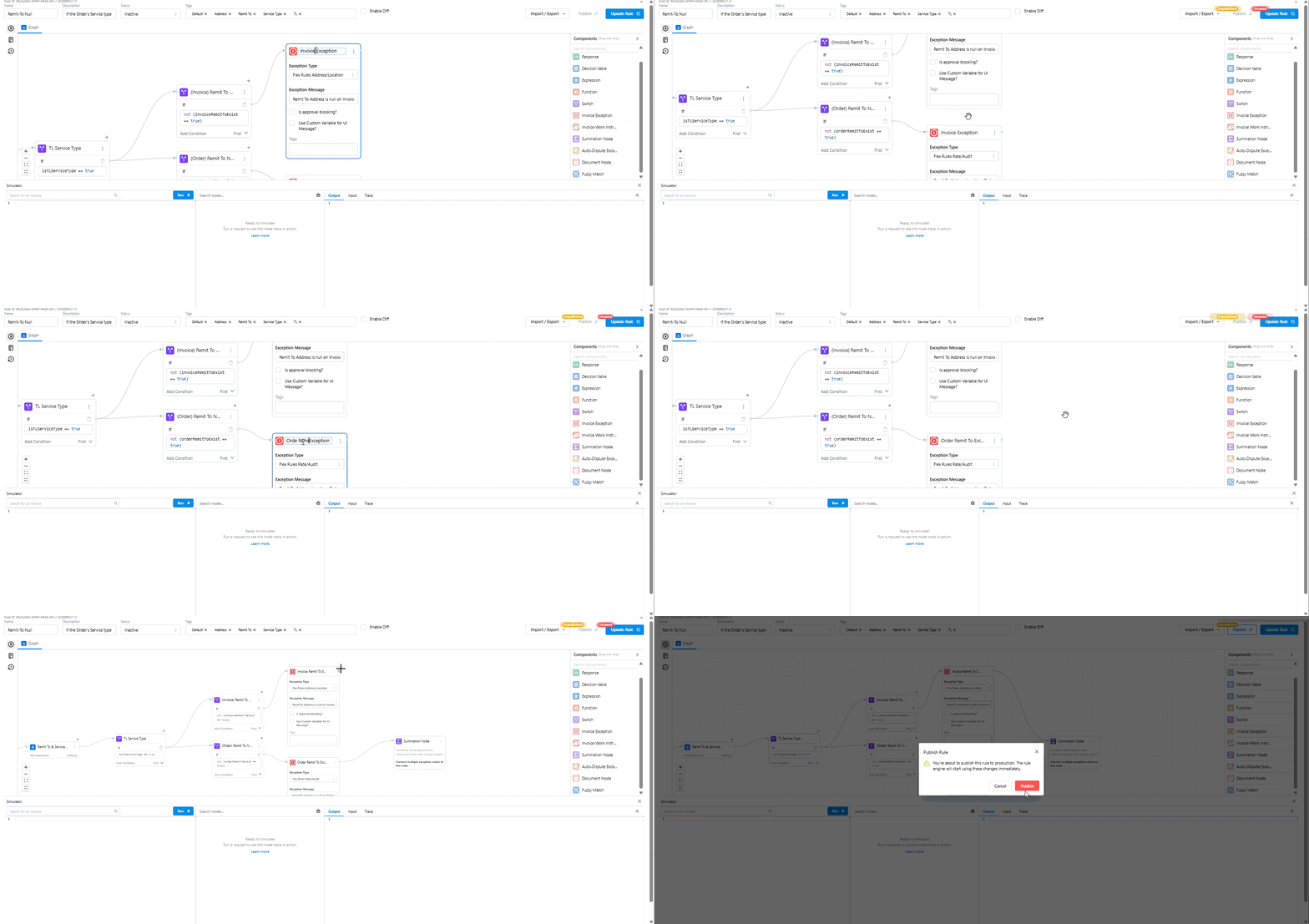
➕ Summation Nodes
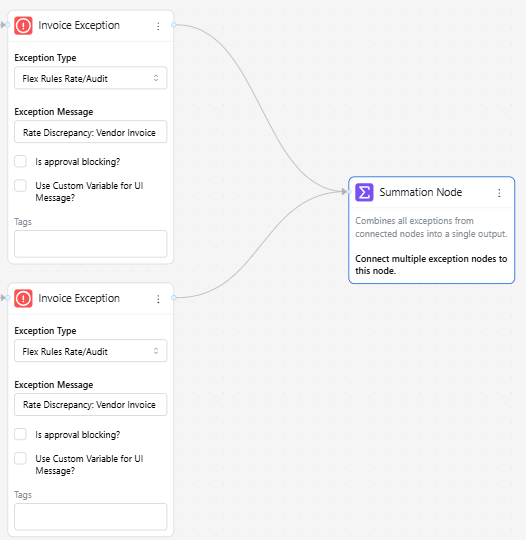
When a rule may produce multiple outcomes (e.g., multiple exceptions or instructions), a Summation Node ensures all applicable messages are displayed.
Without this, only one result may appear — even if multiple conditions are true.
🧾 Order vs. Invoice Rules
- Invoice Rules
- Require invoice data
- Often used for audit validation and exception handling
- Order Rules
- Do not require an invoice
- Commonly used for document validation and pre-billing workflows
⚙️ Best Practices
To get the most out of Flex Rules:
- Document everything
- Use clear names, descriptions, and tags
- Be precise with variables
- Spelling and casing matter (e.g.,
VendorName≠vendorname)
- Spelling and casing matter (e.g.,
- Test before publishing
- Simulate multiple scenarios
- Review cloned/imported rules carefully
- Replace any inherited exception or instruction nodes
💡 There are often multiple valid ways to write a rule — focus on clarity and maintainability.
🔄 Versioning & History
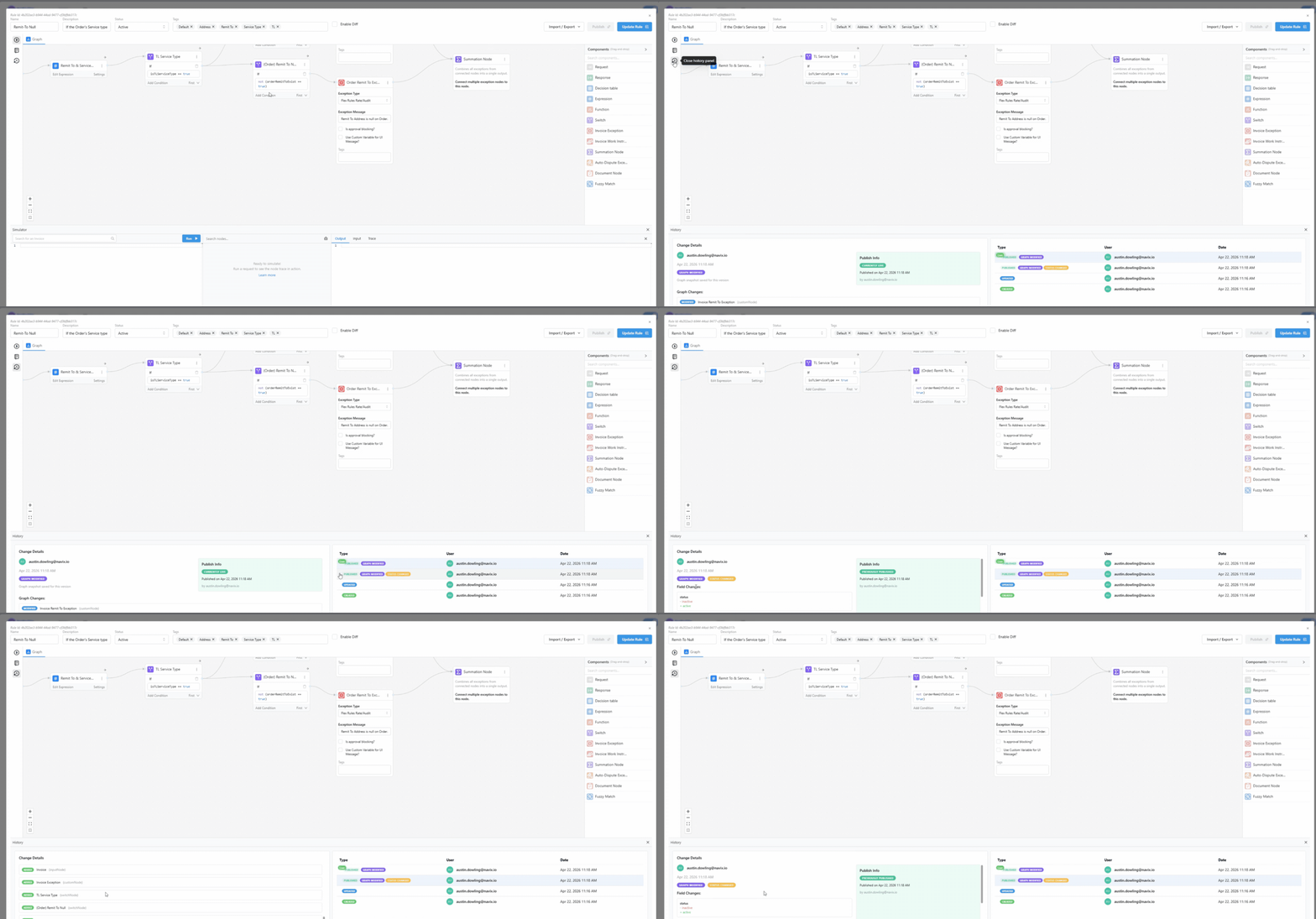
Flex Rules automatically tracks:
- Rule updates
- Publish events
- Previous versions
You can also roll back to a previously published version if needed.
🔮 Coming Soon
Flex Rules will continue to expand with powerful automation features:
📬 Auto-Disputes
Automatically trigger dispute communications based on rule outcomes, using:
- Existing dispute reasons
- Templates
- Order contacts
- Configurable timing
🔁 Auto-Follow Up
Automatically follow up on disputes when no response is received within a defined timeframe.
🙋 Need Help?
Whether you’re reviewing rules or interested in building your own, we’re here to help.
- Submit a ticket through the Navix Support Center.